QloApps Forums
    • Register
    • Login
    • Search
    • Categories
    • Recent
    • Tags
    • Popular
    1. Home
    2. Recent
    Log in to post
    • All categories
    • All Topics
    • New Topics
    • Watched Topics
    • Unreplied Topics
    • T

      Back office logging me out
      Bug Report • • ttt222

      2
      0
      Votes
      2
      Posts
      1930
      Views

      A

      Hi @ttt222,

      Follow these steps to resolve your issue:

      Go to the Admin Panel.

      Navigate to Administration → Preferences.

      📌 Reference Screenshot: Click Here

      Under General , disable the "Check the cookie's IP address" option.
    • A

      QloApps Hourly Booking Module
      Announcements • hourly booking reservations qloapps hourly rental short booking • • Aman deep sharma

      1
      0
      Votes
      1
      Posts
      1825
      Views

      No one has replied

    • P

      Qloapps without external network access
      General Discussion • • paoloiarris

      2
      0
      Votes
      2
      Posts
      1818
      Views

      A

      Yes, it is possible to install QloApps without access to the external network with the default language set to English.

      However, if you want to install it in a language other than English, you must first complete the installation in English. After installation, you need to import the desired Localization from the Localization tab. During this process, an internet connection is required.

      Reference: https://webkul.chatwhizz.com/share/screenshot/67de42ed9e8c451099caa25d

      Once the localization is imported, you can use QloApps without an internet connection.

    • J

      User guide
      General Discussion • • jperalta

      2
      0
      Votes
      2
      Posts
      1646
      Views

      A

      Hi @jperalta,

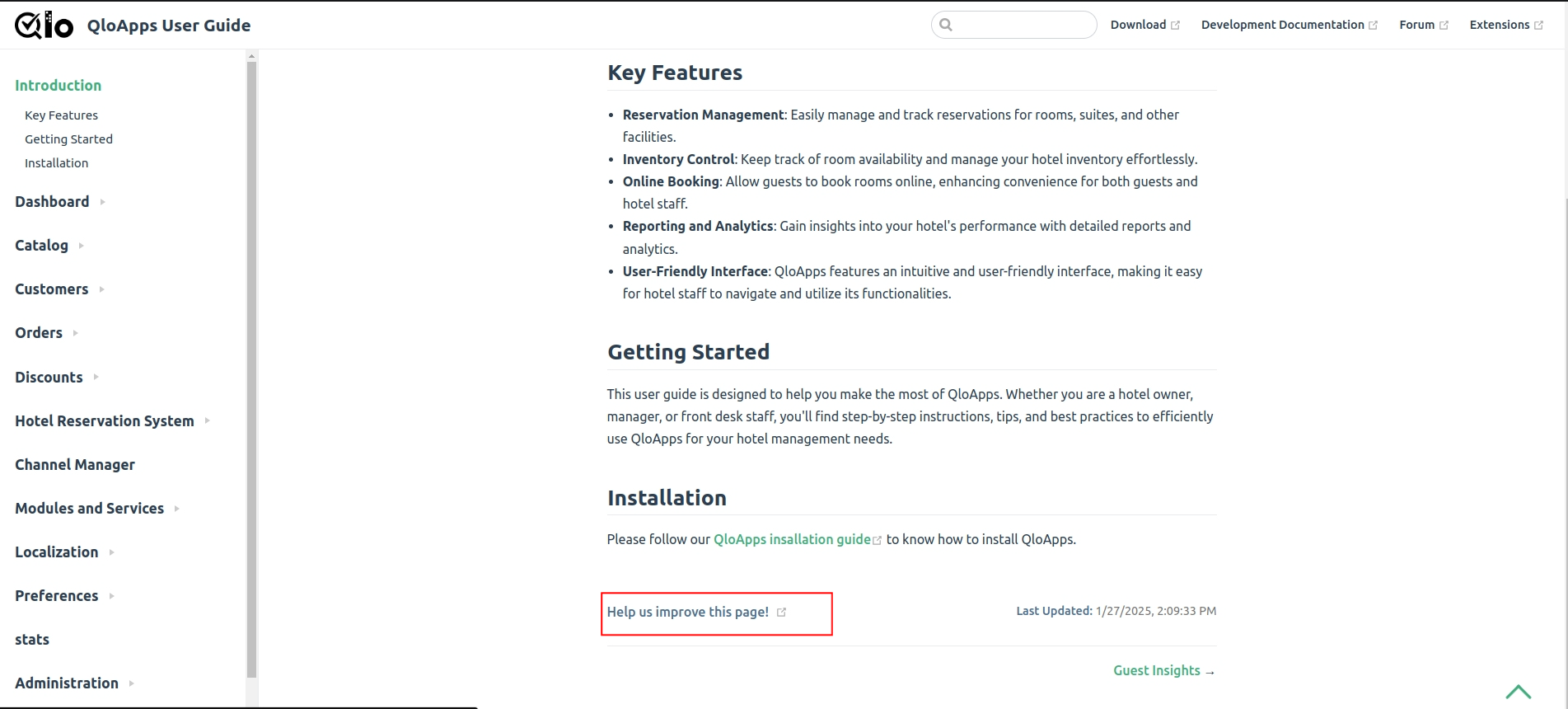
      The user guide cannot be downloaded, but you can access it online as it is publicly available for everyone.

      If you would like to contribute to the documentation, you can click on the link provided in the user guide.

      Refer to the image below:
      screenshot_1740665303390.png

    • B

      Front Desk addon module do not show operations today like in regular dashboard
      Technical Help • • bernie

      2
      0
      Votes
      2
      Posts
      1323
      Views

      A

      Hi @bernie,

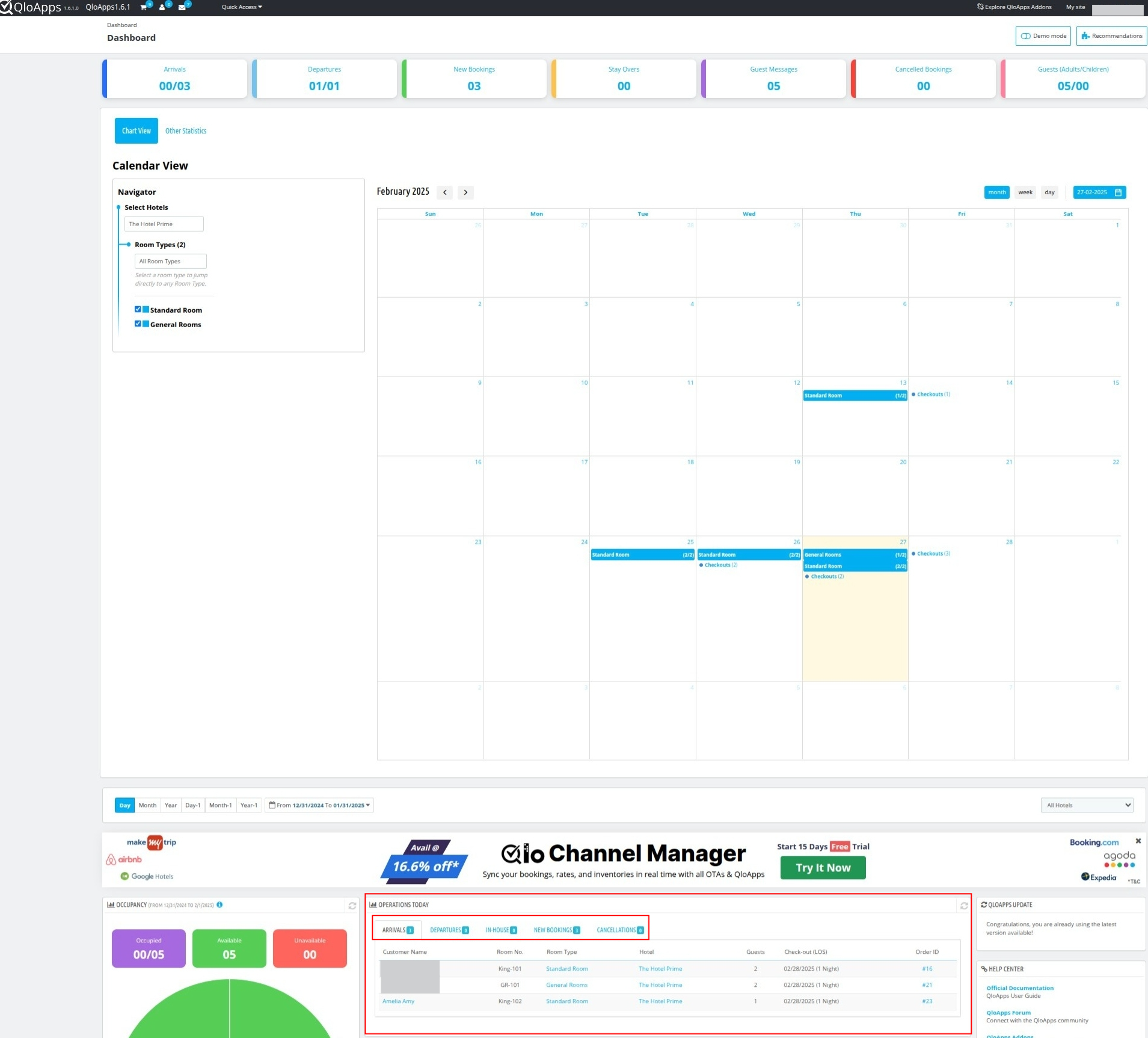
      Please refer to the image given below:
      screenshot_1740664566490.png

      The operations statistics, such as arrival and departure data along with guest names and room numbers, are displayed under "Operations Today."

      If you were referring to something else, please provide more details.

    • C

      Configuration missing in the Edit option of Manage Room Type
      Technical Help • • clicker

      2
      0
      Votes
      2
      Posts
      1425
      Views

      V

      Hi @clicker,

      In QloApps 1.6.1.0, the "Configuration" setting has been renamed to "Rooms" for better clarity and usability.

    • C

      While click invoice tab.php error
      Technical Help • • csugesh

      3
      0
      Votes
      3
      Posts
      1327
      Views

      V

      Hi @csugesh,

      To resolve this issue, please refer to the following PR: PR Link.

    • M

      Marketplace - available rooms
      Bug Report • • Mar

      2
      0
      Votes
      2
      Posts
      1291
      Views

      A

      Hi @Mar,

      We would like to inform you that the module version you are using may not be fully compatible with QloApps 1.6.1.

      To resolve this issue, please download the latest version of the Marketplace module from your Webkul store account and install it directly on your QloApps setup. This should automatically fix the issue.

      Let us know if you need further assistance.

    • C

      QloApps Data Cleaner is missing in 1.6.1
      Technical Help • • clicker

      4
      0
      Votes
      4
      Posts
      1591
      Views

      V

      Hi @clicker,

      Please try searching again using "Cleaner" or "QloApps Data Cleaner" in the modules catalog page, ensuring there are no extra spaces in the search input.

      If the issue persists, please create a ticket at UVdesk Support so our team can assist you accordingly.

      Thanks!

    • I

      Add Customer with Log-In
      General Discussion • • irfan

      2
      0
      Votes
      2
      Posts
      1306
      Views

      A

      Hi @Irfan,

      Currently, it is not possible to create a customer without an email and password during booking.

      You will either need to select an existing customer or create a new one with the details.

    • I

      Book Now - not adding to cart
      Technical Help • • irfan

      16
      0
      Votes
      16
      Posts
      5339
      Views

      A

      To resolve issue on the "Book Now" page where rooms are not being added to the cart.

      Use the following PR: Pr Link

    • M

      CART SHOWING ZERO AFTER SELECTING ADD TO CART
      Bug Report • • mokes777

      2
      0
      Votes
      2
      Posts
      1230
      Views

      A

      Hi @mokes777 ,

      Please create a ticket at https://support.uvdesk.com/en/customer/create-ticket/ so our team can assist you accordingly.

    • M

      google map issue
      Technical Help • google map issue • • mersiuse

      7
      0
      Votes
      7
      Posts
      3201
      Views

      H

      @homestay-lanka Hi Amen

      Thank you for your response. I successfully added the map and learned something new in the process. I had never used F12 to debug the output before, but with its help, I was able to identify the issue. I recreated the key, and it worked. Although I have recreated the MAP key a few times before, I think I may have made some mistakes in the steps previously.

    • K

      index.php loading time
      Technical Help • • kominstein

      2
      0
      Votes
      2
      Posts
      1307
      Views

      A

      Hi @kominstein ,

      Yes, Cloudflare provides a CDN service, which is why the website loads faster when using a Cloudflare domain compared to one without it.

      To speed up the first domain, you can configure caching mechanisms on server to enhance website performance.

      Additionally, you can ask your hosting provider to improve network latency for better load times.

    • L

      Error to try send email
      General Discussion • • Lnopy14

      10
      0
      Votes
      10
      Posts
      4579
      Views

      S

      @oliverjack

      The issue is already addressed in the current thread.

      Please check of your mail settings,
      You might be using the default PHP mail to send emails which does not work properly in some scenarios.
      We suggest you to please use SMTP method for sending emails.

      To check and update Mail settings,
      Log in to the QloApps back office > Advanced Parameters > E-mail tab.

      In this tab you can use update SMTP server details to use SMTP instead of PHP mail for sending email.

      After saving the details, you can try out to send a test email as well.

    • L

      The QloApps Front Desk System module does not work.
      Technical Help • • litri123789

      2
      0
      Votes
      2
      Posts
      958
      Views

      S

      @litri123789

      The issue might be occurring due to version compatibility with the new QloApps version.
      Please create a ticket at https://support.uvdesk.com/en/customer/create-ticket/ so our team can check the issue you accordingly.

    • T

      How to make Extra service field editable in Cart Details.
      Technical Help • • timothymuvuti

      2
      0
      Votes
      2
      Posts
      884
      Views

      A

      Hi @timothymuvuti,

      You cannot directly make the Extra Services / Fees (tax excl) field editable.

      But, you can use QloApps Service Product feature to achieve this by following these simple steps:

      1) Create a Service Product Screenshot

      2) Configure Auto Add to Cart: Change the service product settings so that it automatically adds to the cart when a user books a room.Screenshot

      3) Select Price Display Options: Choose how you want the price to be displayed to your customers.

      4) Explore Additional Options: Feel free to adjust other settings as needed, and then save the service product.

      5) Attach the service product to room types for which you want it to apply.Screenshot

      Also you can attach the service product to Room type from Room type page.Screenshot

      Now create the Booking from Book Now page. Add the service product to the room type. If the service product is selected as "Auto add to cart" which i have mention in the 2 point you dont have to add it manually.Screenshot.

      Service product will get automatically added to the cart.

      You can also edit the service product price after creating the order from the order page Screenshot

      To read more about the service product refer to the documentation link given

      Documentation link
    • R

      unable to see images preview
      Technical Help • unable images preview • • Rahul

      9
      0
      Votes
      9
      Posts
      3306
      Views

      K

      @Aman-deep-sharma

      Noted with thanks
      It may required when commercially launch the site.

      Regards/

    • T

      Can you please add Zambia to hotel country list and localization tab.
      Technical Help • • timothymuvuti

      2
      0
      Votes
      2
      Posts
      914
      Views

      A

      Hi @timothymuvuti,

      Currently, Zambia localization pack is not available in QloApps but you can manually manage to create Loacalization pack for Zambia. Also, there can be more countries Localization pack which may be not available in QloApps .

      But no need to worry you can create it by just following the steps given below:

      Add a language for the country. Add currency for the country. Add taxes for the country.

      However, Zambia is available in QloApps as a country shown in the Screenshot.

      Kindly enable Zambia as the country so that you can use it as a country.

      Refer to the following screenshots for guidance:

      Screenshot 1 Screenshot 2
    • T

      Country Localization
      Technical Help • • timothymuvuti

      2
      0
      Votes
      2
      Posts
      835
      Views

      A

      Hi @timothymuvuti,

      Regarding your concern, we have confirmed that there is no separate localization pack available for Zambia.

      However, Zambia is available in QloApps as a country shown in the Screenshot.

      Kindly enable Zambia as the country so that you can use it as a country for your hotel.

      Additionally, you will need to manually add the currency and language for Zambia.

      Refer to the following screenshots for guidance:

      Screenshot 1 Screenshot 2