QloApps Forums
    • Register
    • Login
    • Search
    • Categories
    • Recent
    • Tags
    • Popular
    1. Home
    2. Technical Help
    Log in to post
    • Newest to Oldest
    • Oldest to Newest
    • Most Posts
    • Most Votes
    • Most Views
    • R

      QloApps Error
      • rmorrisfj

      2
      0
      Votes
      2
      Posts
      979
      Views

      A

      Hi @rmorrisfj,

      QloApps supports MariaDB version 10.6.14.

      The problem you're encountering is a result of an external Softaculous script running before the installation of QloApps on their system. It's important to note that this error is not originating from QloApps itself.
      To address and resolve this issue, we recommend reaching out to the Softaculous support team.

    • R

      Required MARIADB version less than 10.5.0
      • rmorris

      5
      0
      Votes
      5
      Posts
      2134
      Views

      A

      Hi @Abram ,

      QloApps supports MariaDB version 10.6.14.

      The problem you're encountering is a result of an external Softaculous script running before the installation of QloApps on their system. It's important to note that this error is not originating from QloApps itself.
      To address and resolve this issue, we recommend reaching out to the Softaculous support team.

    • D

      Revenue Statistics
      • Dae

      12
      0
      Votes
      12
      Posts
      4593
      Views

      S

      @Dae

      We have resolved this issue on github.

      Please make the changes done in the following PR, To resolve the issue on your QloApps,
      https://github.com/webkul/hotelcommerce/pull/868

    • D

      Tours and Packages
      • Denzel

      2
      0
      Votes
      2
      Posts
      1071
      Views

      S

      @Denzel

      In the current Tour and Packages module, the tours can be filtered base on duration, price, themes, and activities.
      If you have any specific requirements that you want to be customized, please raise a ticket so that we can discuss it further: https://webkul.uvdesk.com/en/customer/create-ticket/
      Also please check the workflow of Tour and Packages module from this blog : https://qloapps.com/qloapps-tours-and-packages/

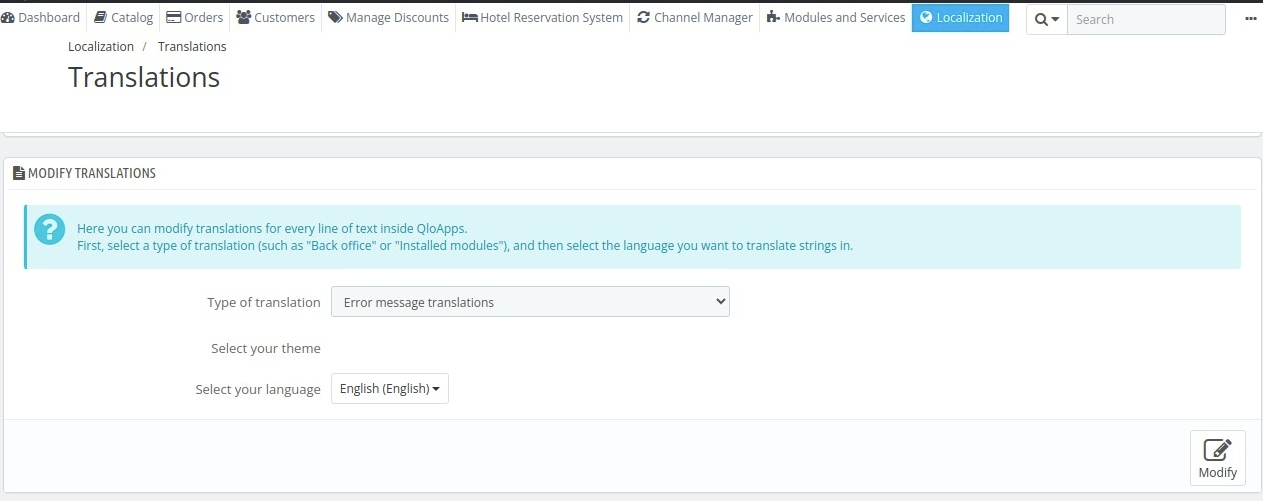
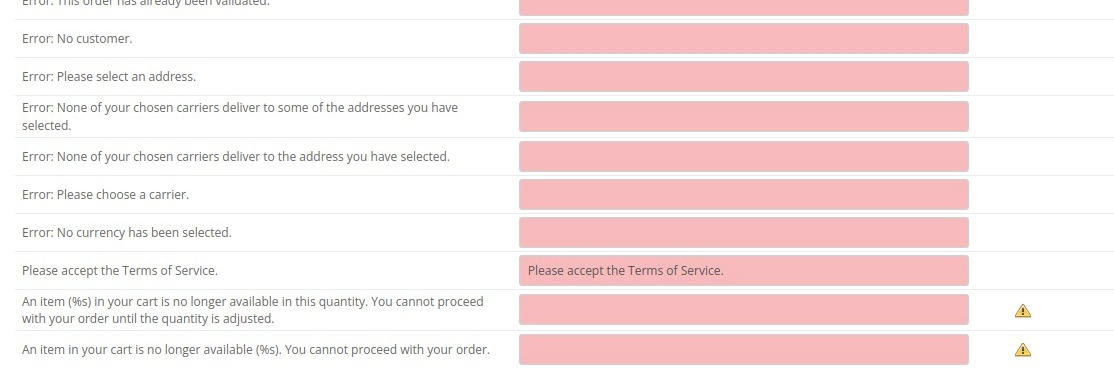
      All email in QloApps can be customized using the translation page in QloApps back office
      Here is the detailed guide that can help you: https://qloapps.com/managing-translations-in-qloapps/

    • D

      ORDER SOURCE
      • Dae

      3
      0
      Votes
      3
      Posts
      1515
      Views

      D

      @shreesh Thank you very much.
      Understood

    • D

      PAY WITH WITH CASH
      • Dae

      2
      0
      Votes
      2
      Posts
      1171
      Views

      S

      @Dae

      You can check our QloApps Pay at Hotel module which adds an option for for making payments at the hotel itself while check-in.

      Using this module the customer as well as the admin will get on option to select pay at hotel option while creating a booking

      Module Link : https://store.webkul.com/QloApps-Pay-at-Hotel.html

    • D

      Previous Bookings
      • Dae

      2
      0
      Votes
      2
      Posts
      1011
      Views

      S

      @Dae

      This feature is currently not available by default in QloApps.

      If you want this feature in QloApps, please raise a ticket so that discuss it through.
      https://webkul.uvdesk.com/en/customer/create-ticket/
    • D

      Long term rental
      • Dae

      2
      0
      Votes
      2
      Posts
      1126
      Views

      D

      @Dae, Yes you can definitely use QloApps if you have fixed rental property by making a few changes in the booking duration feature of QloApps. You can make changes yourself or if you want we can customize QloApps for you as per your requirements. I request you to Please create a ticket at https://webkul.uvdesk.com/en/customer/create-ticket/ and share your complete requirements over there.
    • A

      Hotel management for travel agent
      hotel management travel agent • • addmakes02

      3
      0
      Votes
      3
      Posts
      1950
      Views

      I

      @addmakes02To determine if a platform supports travel agents in booking hotels and securing special prices for hotel rooms, you would need to research and contact the specific platform or service you are inquiring about. Many hotel booking platforms do offer partnerships and special pricing options for travel agents, but the availability and terms may vary from one platform to another.

      I would recommend visiting the official website of the platform you are interested in or contacting their customer support to inquire about their specific offerings and support for travel agents. They will be able to provide you with the most accurate and up-to-date information regarding their services and how they can assist travel agents.

    • D

      DEMO BUTTON
      • Dae

      2
      0
      Votes
      2
      Posts
      1024
      Views

      S

      @Dae

      To remove demo button from dashboard you will need to comment page_header_toolbar_btn property with "switch_demo" key from AdminDashboardController.php.
      Screenshot (2).png

      To remove recommended modules button from the dashboard, create a new override function addPageHeaderToolBarModulesListButton() in AdminDashboardController.php.
      In that override function simply return false to override the addition of recommended modules button.
      Screenshot (3).png

    • O

      HTTP ERROR 500
      • olip

      2
      0
      Votes
      2
      Posts
      1042
      Views

      S

      @olip
      Please enable debug mode and provide us with screenshots of the error message.

      To Enable debug mode, check the following thread: https://devdocs.qloapps.com/introduction/configuration.html#debug-mode-error-reporting.

    • V

      Admin Page 404 error
      error • • vsappati

      2
      0
      Votes
      2
      Posts
      1819
      Views

      S

      @vsappati
      It seems you are using the wrong URL to access the admin panel. Try opening http://localhost:8001/admin/

      Also if you have opened the admin panel once, the admin URL would have been updated for security purpose. so I request you to once check the admin folder (in your QloApps directory structure find the folder whose name starts with admin) and use that folder name for accessing the admin panel : http://localhost:8001/admin_folder_name/

    • M

      Can't approve hotel
      • miqyk

      3
      0
      Votes
      3
      Posts
      1318
      Views

      M

      @Archit-Chandra I solved the issue. Thank you.

    • L

      Unable to upload Addons
      • lolariv

      2
      0
      Votes
      2
      Posts
      1083
      Views

      A

      Hi @lolariv,

      Kindly follow the steps mentioned below to install the module in your QloApps:

      After purchasing the module from the Webkul store, You will receive the zip file of the module.

      Reference: https://webkul.chatwhizz.com/share/screenshot/64fb26c3ed7413059a893b44

      Extract the Zip file and open the folder.

      Reference: https://webkul.chatwhizz.com/share/screenshot/64fb27bda7abc705919c7840

      Here, you will find the module folder. Compress the folder and convert it into the Zip.

      Reference: https://webkul.chatwhizz.com/share/screenshot/64fb2906ed7413059a893f17

      Upload this Zip file to your QloApps back office.

      Also, you can follow the steps mentioned in the installation guide.

      Guide: https://qloapps.com/how-to-install-any-module-in-the-qloapps/

    • S

      Can't upload images
      • selekta

      4
      0
      Votes
      4
      Posts
      1520
      Views

      L

      For the sake of completeness, I got the same message but for a different reason. I was running a Virtual machine with too low RAM and it seems that the SQL server was constantly crashing.

      After switching to a higher RAM VM the problem solved itself.

    • D

      Broadcast email
      • daisy

      4
      0
      Votes
      4
      Posts
      1289
      Views

      D

      Hi @daisy,

      Currently, we do not have this feature in our default software, but we can surely customize this for you. If you want this customization done kindly raise a ticket here:

      https://webkul.uvdesk.com/en/customer/create-ticket/

    • D

      Revenue Statistics
      • daisy

      2
      0
      Votes
      2
      Posts
      766
      Views

      A

      Hi @daisy,

      We can implement this feature for you and for that kindly raise a ticket here:

      https://webkul.uvdesk.com/en/customer/create-ticket/

    • D

      How to edit styles in an installed site
      • Dolfi

      6
      0
      Votes
      6
      Posts
      1423
      Views

      S

      This issue occurs due to incompatible .htaccess files with specific operating systems. Our team is actively addressing this problem.

      Meanwhile, we can offer a manual solution for your QloApps instance. Kindly create a support ticket at https://webkul.uvdesk.com/en/customer/create-ticket, and our team will resolve the issue for your QloApps instance.

    • K

      How do i change database name and how do i fix "website currently unable to handle this request"
      • kei

      3
      0
      Votes
      3
      Posts
      934
      Views

      S

      @kei

      I'm glad to hear that QloApps has been successfully installed!

      In the QloApps installation guide, the database name provided is just an example. You have the flexibility to set your own preferred database name during the installation process.

    • M

      Cant see Testimonial Pics after enabling SSL
      • mtariqaziz111

      4
      0
      Votes
      4
      Posts
      1003
      Views

      S

      @mtariqaziz111

      We haven't been able to recreate the issue on our end, it would be best to investigate the problem on your server.

      To provide you with the necessary assistance, please raise a ticket at https://webkul.uvdesk.com/en/customer/create-ticket/.