How to mark a room as “Disabled Room” in QloApps 1.7?
-
I’m using QloApps 1.7 and I’m trying to mark a room as a “Disabled Room” (accessible room), but I can’t find any option or switch for this in the room settings.
Is there a specific place where this feature can be enabled, or do I need to configure it through attributes/facilities instead?
Thanks in advance! -
Hi @bluemoon288 ,
You can temporarily disable a room from the Room Type settings.
Temporarily Inactive: Use this option when you want to temporarily make a room unavailable for booking, often due to maintenance. You can select Disable Dates for the duration you want the room to remain inactive.
Reference: QloApps Documentation – Manage Room Types
-
@Aradhana-Singh Thank you for the explanation regarding the “Temporarily Inactive” option. I understand that rooms can be disabled from the Room Type settings.
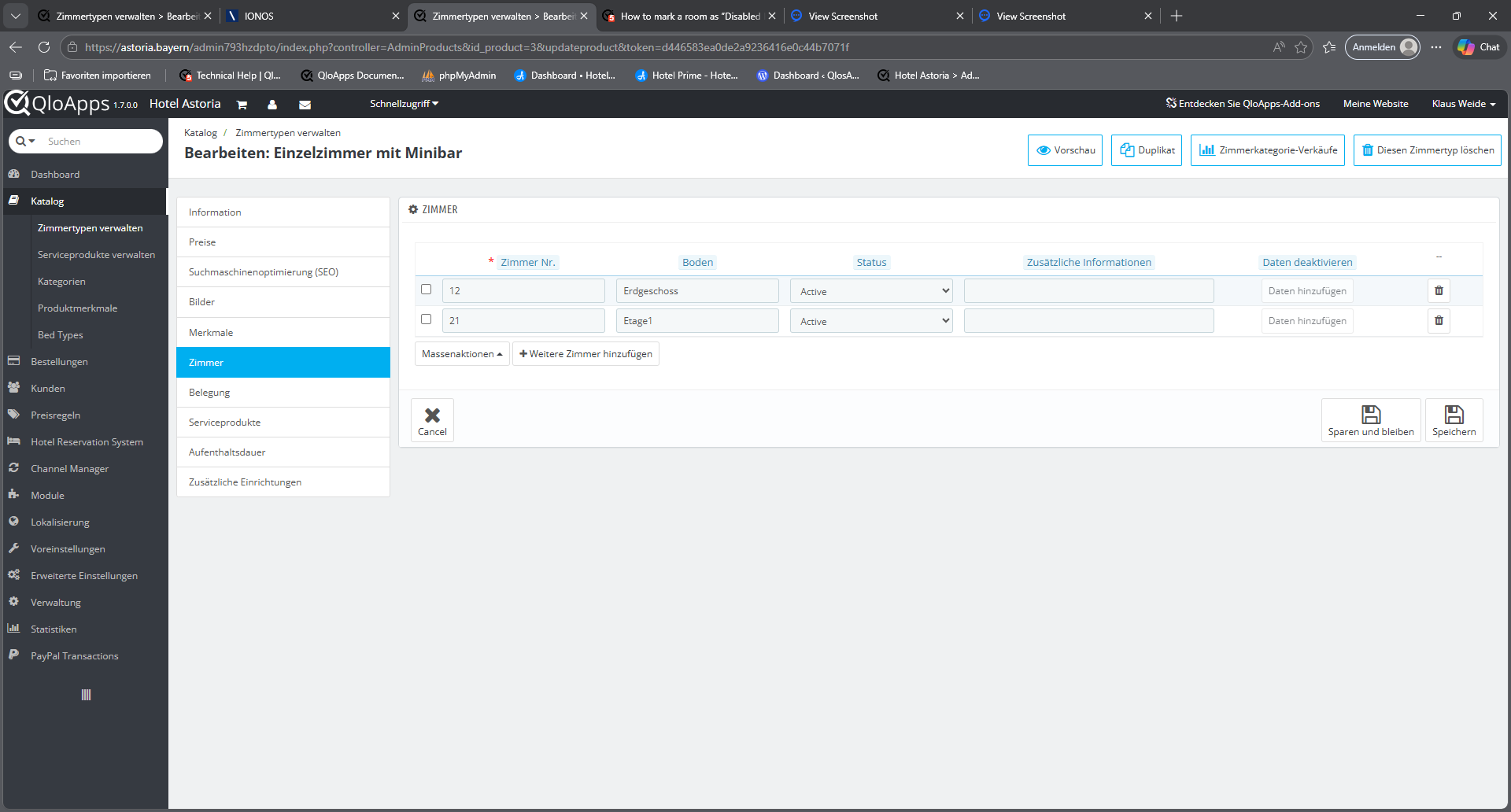
However, in the Rooms → Prices section I am currently unable to block or disable any room. The button does not react at all — it does not turn blue on mouseover, nothing opens, and no action is triggered. Because of this, I am not sure how the function is supposed to work in this area.
In addition, the German translation in this section currently shows “Behindertengerechter Raum”, which means accessible room for disabled guests. This is incorrect and misleading, because it should refer to a temporarily blocked or deactivated room (e.g., “deaktivierter Raum” or “gesperrter Raum”).
Could you please check whether the non‑responsive button is a bug -
@bluemoon288 said in How to mark a room as “Disabled Room” in QloApps 1.7?:
German translation in this section currently shows “Behindertengerechter Raum”
Regarding the issue where the button does not turn blue on mouseover and nothing opens,
Please enable Development (Debug) Mode. This will help us identify the issue more accurately.📌 Enable Development Mode (for debugging purposes)
🔧 Steps to Enable Development Mode:
-
Navigate to your QloApps installation directory → config folder → open the file defines.inc.php
📁 Path:
/config/defines.inc.php -
Locate the following line in the file:
Reference Screenshot:
https://webkul.chatwhizz.com/share/screenshot/67bf1eb55aa3df07163d5a94
if (!defined('PS_MODE_DEV')) { define('PS_MODE_DEV', false); }
-
Change the value from false to true, like this:
Reference Screenshot:
https://webkul.chatwhizz.com/share/screenshot/67bf1ef95aa3df07163d5aa1
if (!defined('PS_MODE_DEV')) { define('PS_MODE_DEV', true); }
- Save the file and refresh the page.
After enabling development mode, please share a short video or screenshot of the issue so we can investigate further.
Regarding the German Translation
In this section, the German translation currently shows “Behindertengerechter Raum.”
You can modify the translation using the Translations tab in the admin panel and update the text as required.
Reference Guide:
https://qloapps.com/managing-translations-in-qloapps/Alternatively, you can use the QloApps Google Translate module for faster translation:
https://qloapps.com/qloapps-google-translate-translate-qloapps-easily/ -
-
@Aradhana-Singh I have enabled Development (Debug) Mode both on my localhost installation and on the live website, but unfortunately it did not change anything. The button still does not react on mouseover and it still does not open anything.
I am attaching a short video and a screenshot so you can see the issue in action.
Your pictures - upload isn't working! -
This post is deleted! -
Hi ,@bluemoon288
Thank you for sharing the video.
In the video, it is clearly visible that your room status is Active, which means the room is available for all dates.
If you want to make the room unavailable for specific dates, you can use the Temporarily Inactive functionality.
You need to select the "Temporarily Inactive" status, choose the desired dates, and then verify the dates you have disabled.
Reference:
https://webkul.chatwhizz.com/share/view-recording/69b79c7634524706f9211208 -
@Aradhana-Singh
Sorry, why so complicated? The "Active" and "Temporarily Active" options are unnecessary, as every room is blocked at some point – for renovations, extensive cleaning, etc. So, just the "Active" and "Inactive" options ( = not visible in the front office) are sufficient – and under "Active," the "Lock Time Periods" function should be enabled.
A vacation function would be good: all rooms would be blocked for a specific period, and a notification would appear. No rooms or room types could be "forgotten."In my opinion, software should be self-explanatory and foolproof. Then it's excellent software.
-
Hi @bluemoon288 ,
We appreciate your suggestion for improving our software. We have noted it.